Set up SAML
Attention
At this time, the login with SAML does not use the data of the SAML / SSO Parameters area. It uses a separate configuration of the identity provider, which only an administrator of Myra EU CAPTCHA creates. Saving the area alone does not enable the login with SAML.
With SAML, the members of your organization log in to the customer portal with the credentials of your own identity provider. The members do not register before. The first login with SAML creates the account with the e-mail address that was sent. The new account does not belong to an organization.
The following requirements are met:
- ☑ Your account has the Org Admin role.
- ☑ An administrator of Myra EU CAPTCHA has created and enabled a SAML configuration for your identity provider.
- ☑ You manage an identity provider with support for SAML 2.0.
- ☑ You know the identifier, the login address, and the certificate of your identity provider.
- ☑ Your identity provider sends the e-mail address of the user, either as the NameID in the
emailAddressformat or in an attribute such asemail,mail, oremailAddress.
Proceed as follows to set up SAML:
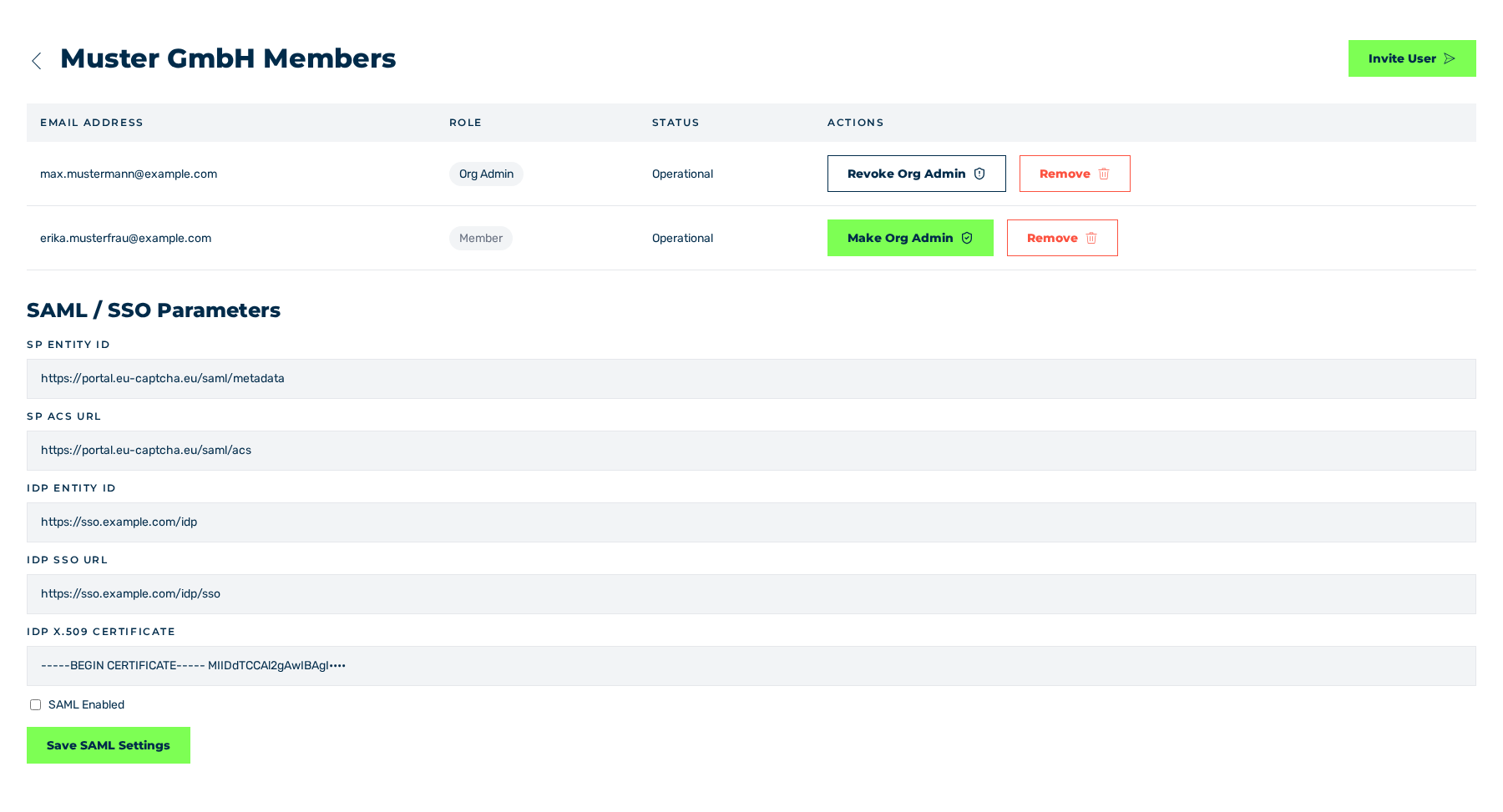
SAML / SSO Parameters area
- ► In the sidebar, open the Account › Profile entry and click on the Manage Members button in the Organization area.
- ► Go to the SAML / SSO Parameters area.
- ► In the SP Entity ID field, enter the identifier of the service provider. The field is empty at first and does not give a value.
- ► In the SP ACS URL field, enter the address to which your identity provider sends the response.
- ► In the IdP Entity ID field, enter the identifier of your identity provider.
- ► In the IdP SSO URL field, enter the login address of your identity provider.
- ► In the IdP X.509 Certificate field, add the certificate in the PEM format.
- ► Select the SAML Enabled check box.
- ► Click on the Save SAML Settings button.
- ➔ The system saves the data and shows the SAML Settings message with the SAML settings saved successfully. text.
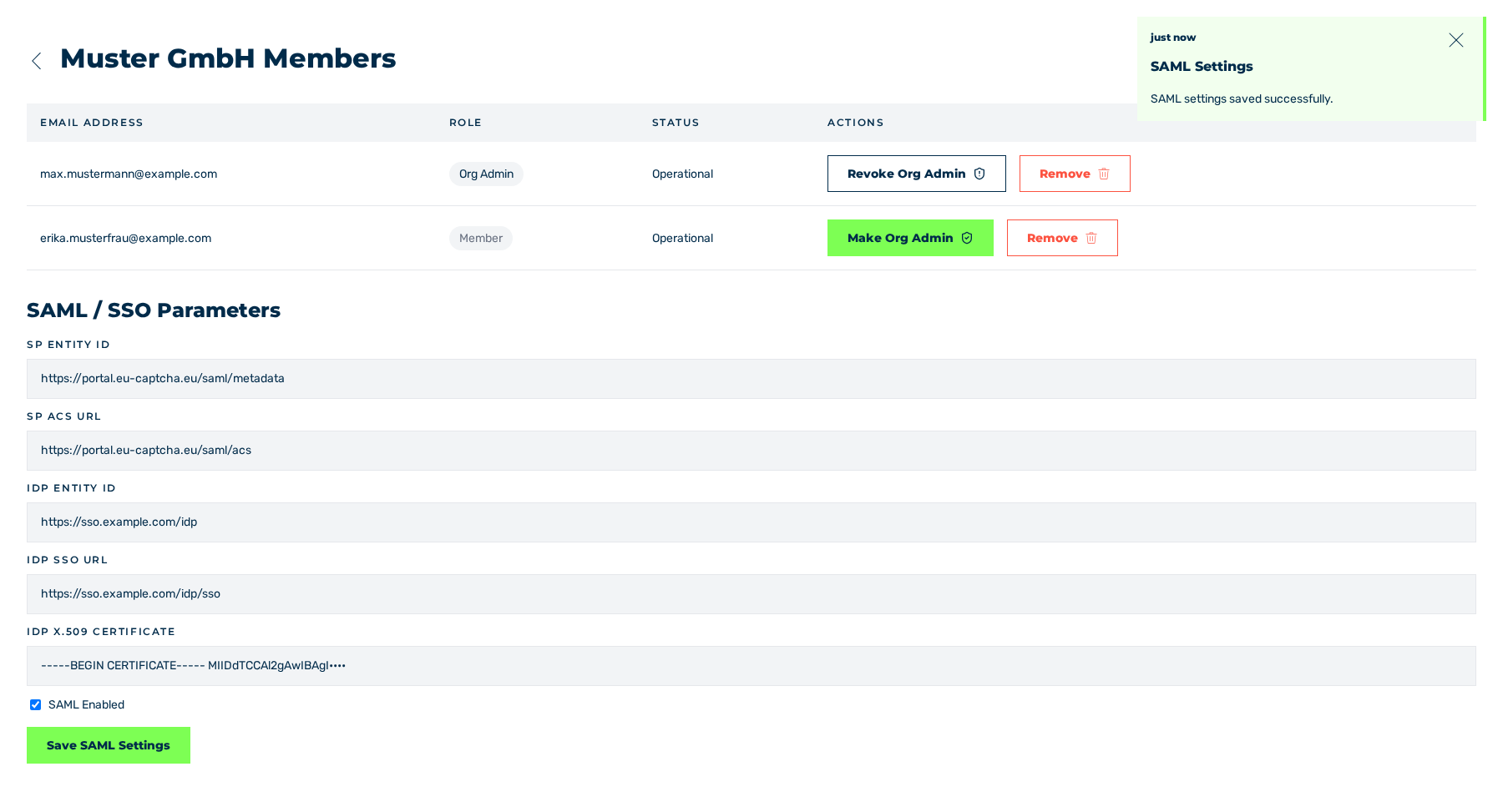
SAML / SSO Parameters area after the save operation
- ► Examine the login with your identity provider with a test account.
The data that your identity provider needs for the service provider comes from the SAML configuration that Myra creates. The administrator assigns the short name of this configuration:
| Data | Value |
|---|---|
| Identifier of the service provider | https://<host>/myra-auto-app-api/saml/metadata/<short name>, if the configuration does not set its own identifier |
| Address for the response (ACS) | https://<host>/myra-auto-app-api/saml/acs/<short name> |
| Metadata of the service provider | https://<host>/myra-auto-app-api/saml/metadata/<short name> |
| Start of the login | https://<host>/myra-auto-app-api/saml/login/<short name> |