Managing additional secrets
In addition to the original secret, you create further secrets for a sitekey. With them, you change the key during operation without an interruption of the verification: you create a second secret, change your servers to it one after the other, and delete the old one afterwards.
Creating a secret
The following requirements are met:
- ☑ You are the owner of the sitekey, or you have the Write access tier.
- ☑ The grace period of the account that owns the sitekey did not expire, and its subscription is not cancelled.
Proceed as follows to create an additional secret:
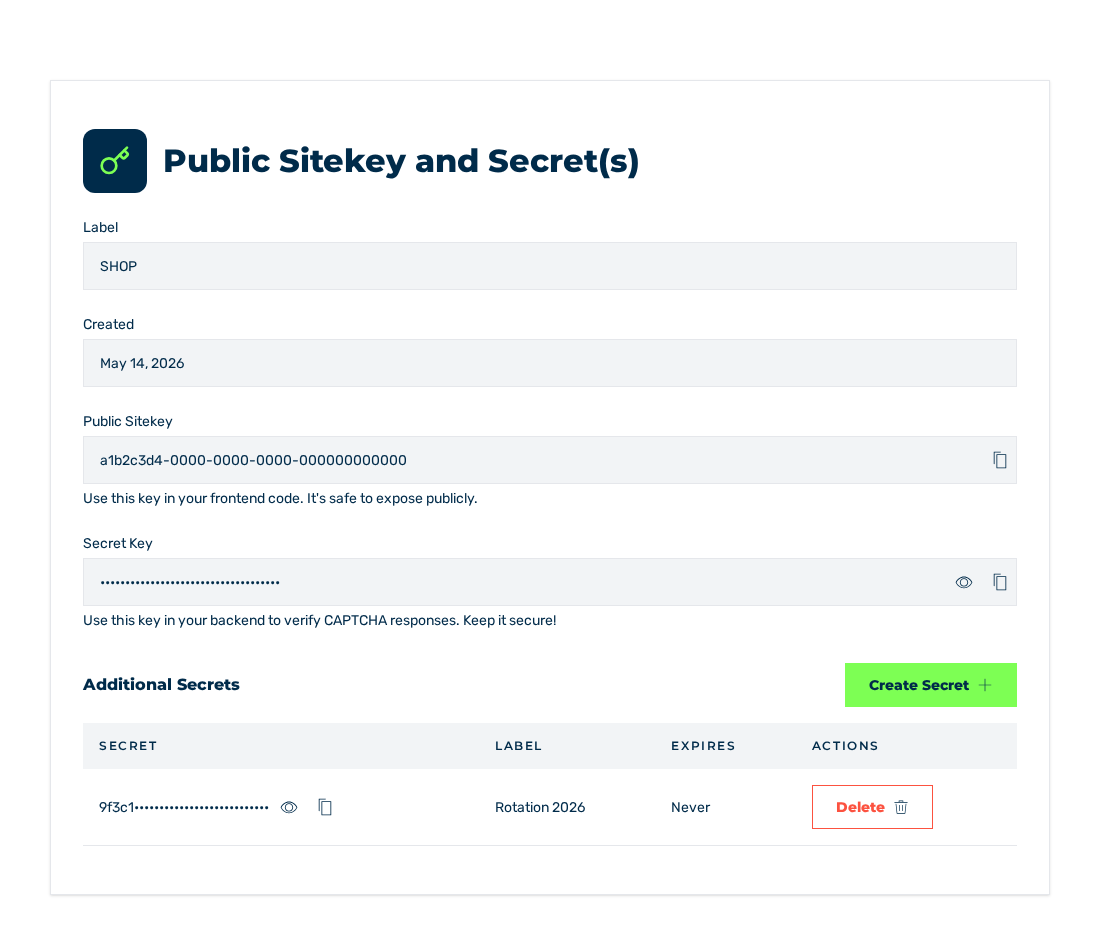
Details view
- ► Open the sitekey and change to the Details view.
- ► Click on the Create Secret button in the Additional Secrets area.
- ↳ The Create Secret dialog opens.
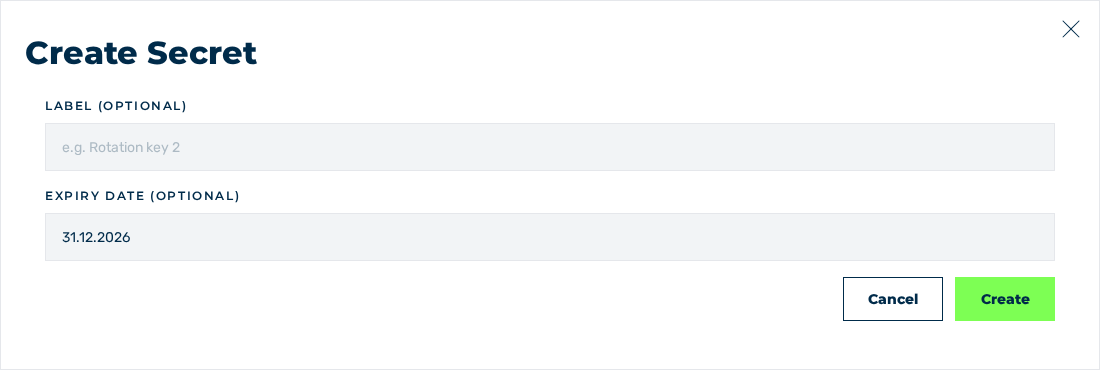
Create Secret dialog
- ► If required, enter a label in the Label (optional) field, for example
Rotation key 2. - ► If required, select an expiry date in the Expiry date (optional) field.
- ► Click on the Create button.
- ➔ The system creates the secret and shows it in the Additional Secrets area.
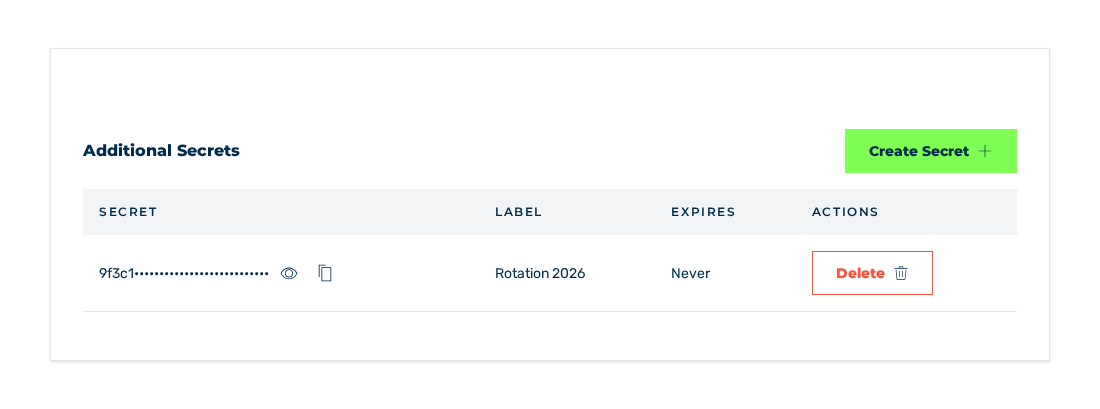
Additional Secrets area with the new secret
Without an expiry date, the secret does not expire. In this case, the Expires column shows the Never value.
To stop the operation, click on the Cancel button in the dialog.
Attention
Treat every additional secret like the original secret. It belongs on your server only and never in HTML or JavaScript.
Note
After the end of the grace period and after a cancellation, the system refuses to create more secrets. The dialog then stays open, and no secret is created. The available secrets stay, and you can still delete them.
Deleting a secret
The following requirements are met:
- ☑ You are the owner of the sitekey, or you have the Write access tier.
- ☑ None of your servers uses the secret any more.
Proceed as follows to delete an additional secret:
Additional Secrets area
- ► Click on the Delete button in the row of the secret in the Additional Secrets area.
- ↳ The Delete Secret dialog opens.
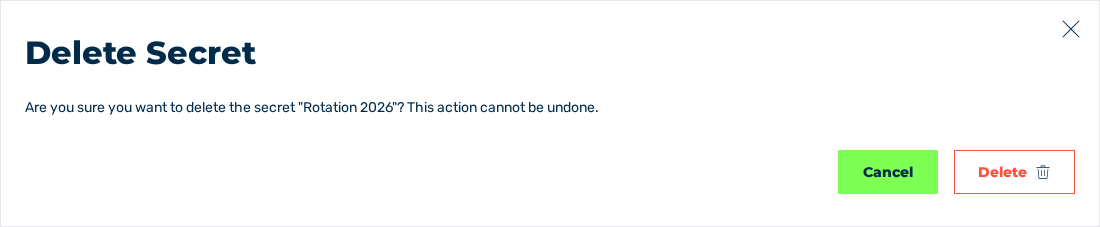
Delete Secret dialog
- ► Click on the Delete button.
- ➔ The system deletes the secret and shows the Secret deleted message with the The secret has been removed text.
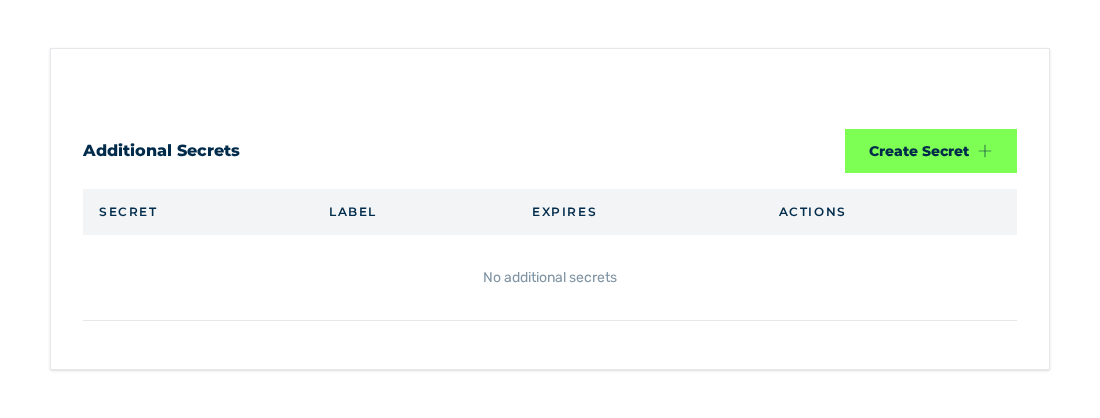
Additional Secrets area without additional secrets
To stop the operation, click on the Cancel button in the dialog.
Attention
A deleted secret cannot be restored. Requests that are still verified with this secret fail immediately.
See Details.