Grant access to a sitekey
You give access to a sitekey to single accounts. You do not have to give your own credentials to them. The access is applicable to one sitekey.
The following requirements are met:
- ☑ You are the owner of the sitekey.
- ☑ The account that must get the access is registered in the customer portal and has confirmed its e-mail address.
- ☑ You know the e-mail address of this account.
Proceed as follows to grant access to a sitekey:
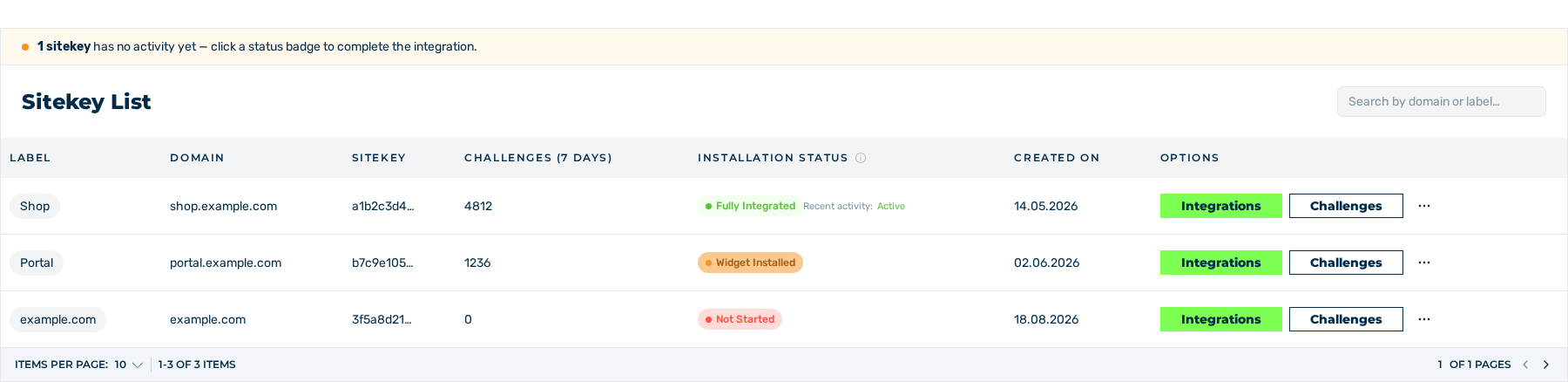
Sitekey List area
- ► Open the Dashboard view and go to the Sitekey List area.
- ► In the row of the sitekey, click on the button with the three dots in the Options column.
- ► In the menu, click on the PERMISSIONS entry.
- ↳ The Permissions view opens.
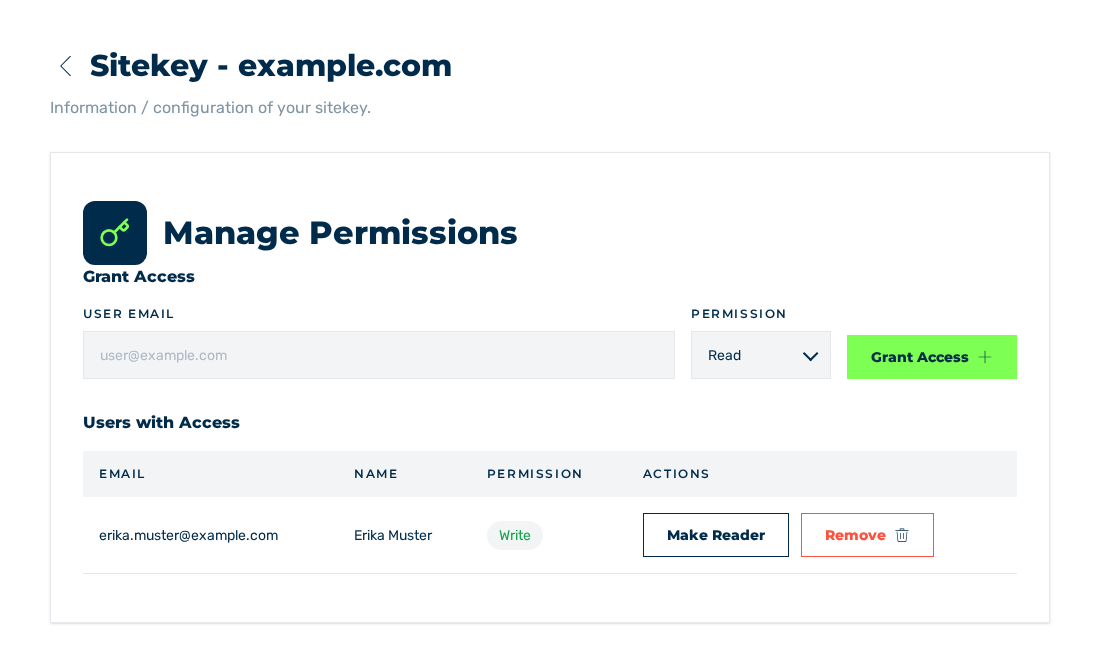
Permissions view
- ► In the Grant Access area, enter the e-mail address of the account in the User Email field.
- ► In the Permission drop-down list, select the Read or Write access tier.
- ► Click on the Grant Access button.
- ➔ The system gives the access and shows the Permission granted message. The entry is shown in the Users with Access area.
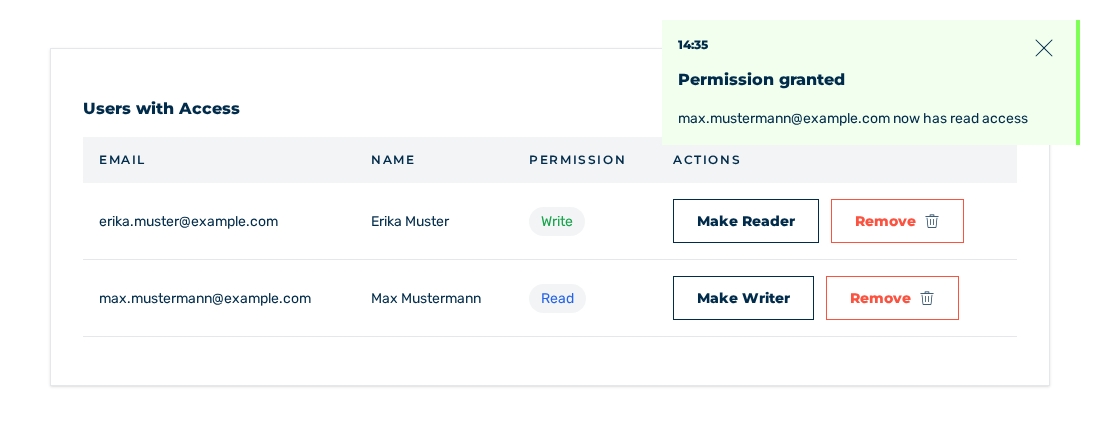
Users with Access area with the new entry
These access tiers are available:
| Tier | Rights |
|---|---|
| Read | The sitekey and its settings are visible. Changes are locked. |
| Write | The sitekey and its settings are visible and can be changed. |
Note
An account gets one entry for each sitekey. If the account already has permission, then change the access tier of the entry that exists. The owner of the sitekey does not get an entry.
Note
The Permission granted message also shows when the system does not give the access, for example for an unknown or unconfirmed account, for the owner, or for an account that already has permission. Thus, make sure that the entry shows in the Users with Access area.