Configuring a sitekey
The configuration controls how strictly Myra EU CAPTCHA examines the visitors of a domain. You switch the protection on and off. You also set the initial difficulty, the delay, and the count of parallel challenges.
Change of the configuration of a sitekey
The following requirements are met:
- ☑ You have the Write access tier for the sitekey.
- ☑ A plan with costs is active for your account. With the free plan, the three number values are locked. The Label field and the EU CAPTCHA Protection switch stay available.
The dialog applies the four Label, Initial difficulty value per challenge 0-3, Initial delay in seconds per challenge, and Max parallel challenges per IP address entries only with the Save button. The EU CAPTCHA Protection switch applies immediately when you move it. After the change, the system shows Success with the text Sitekey config updated successfully.
Proceed as follows to configure a sitekey:
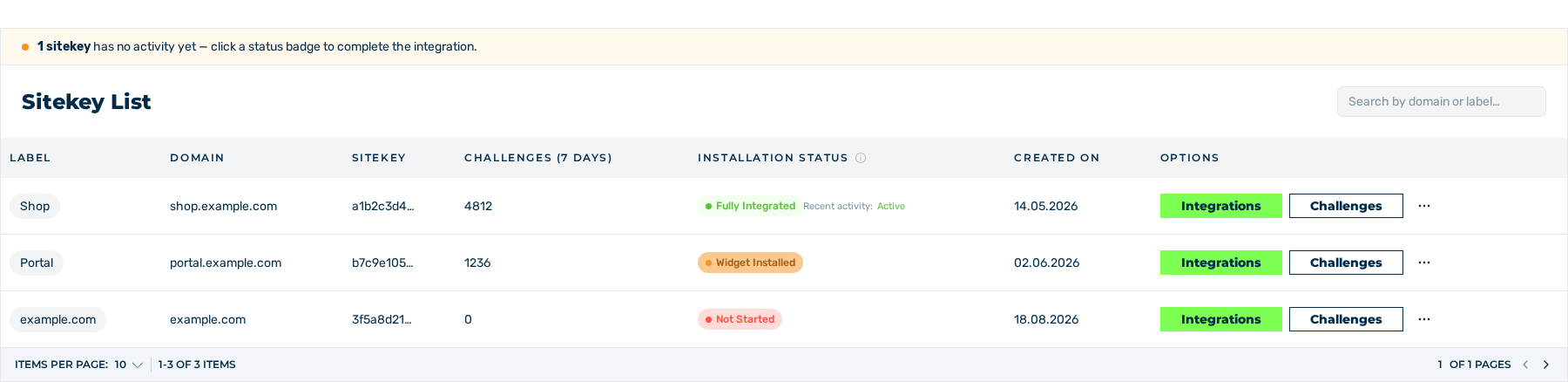
Sitekey List area
- ► Open the Dashboard view and go to the Sitekey List area.
- ► In the row of the sitekey, click on the button with the three dots in the Options column.
- ► In the menu, click on the CONFIG entry.
- ↳ The Configuration Settings dialog opens.
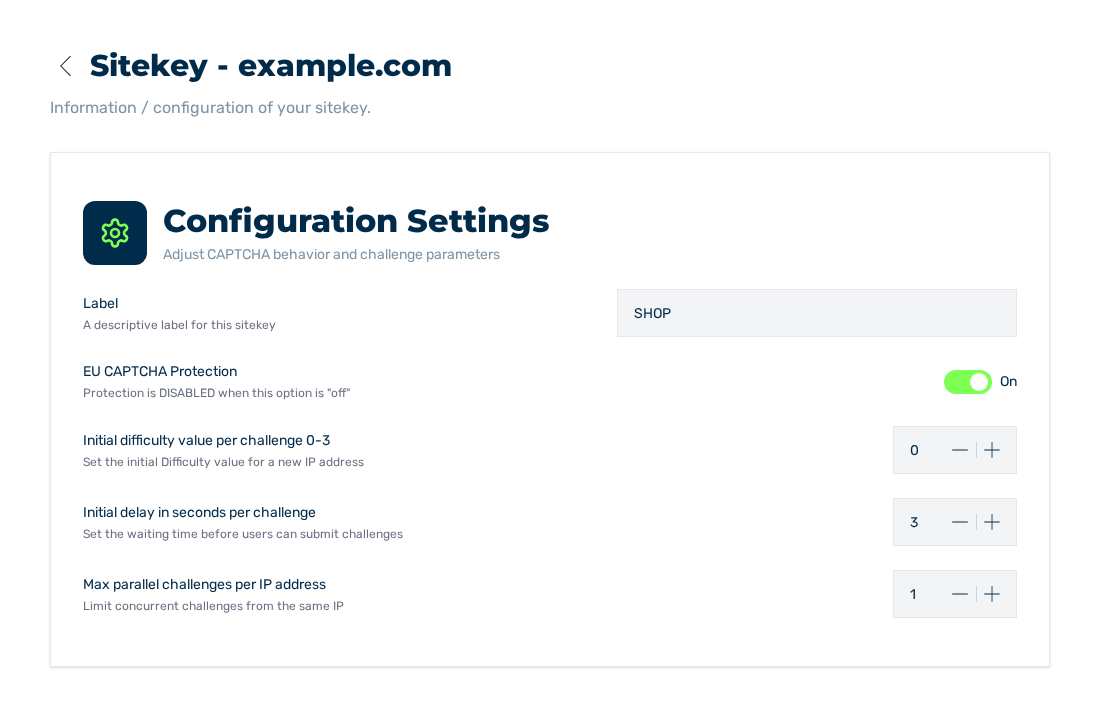
Configuration Settings dialog
- ► If required, enter a label in the Label field.
- ► Set the EU CAPTCHA Protection switch to On.
- ↳ The system applies the switch immediately.
- ► In the Initial difficulty value per challenge 0-3 field, enter a value between 0 and 3.
- ► In the Initial delay in seconds per challenge field, enter a value between 3 and 30.
- ► In the Max parallel challenges per IP address field, enter a value between 1 and 10.
- ► Click the Save button.
- ➔ The system applies the four entries and uses the values for the subsequent challenges.
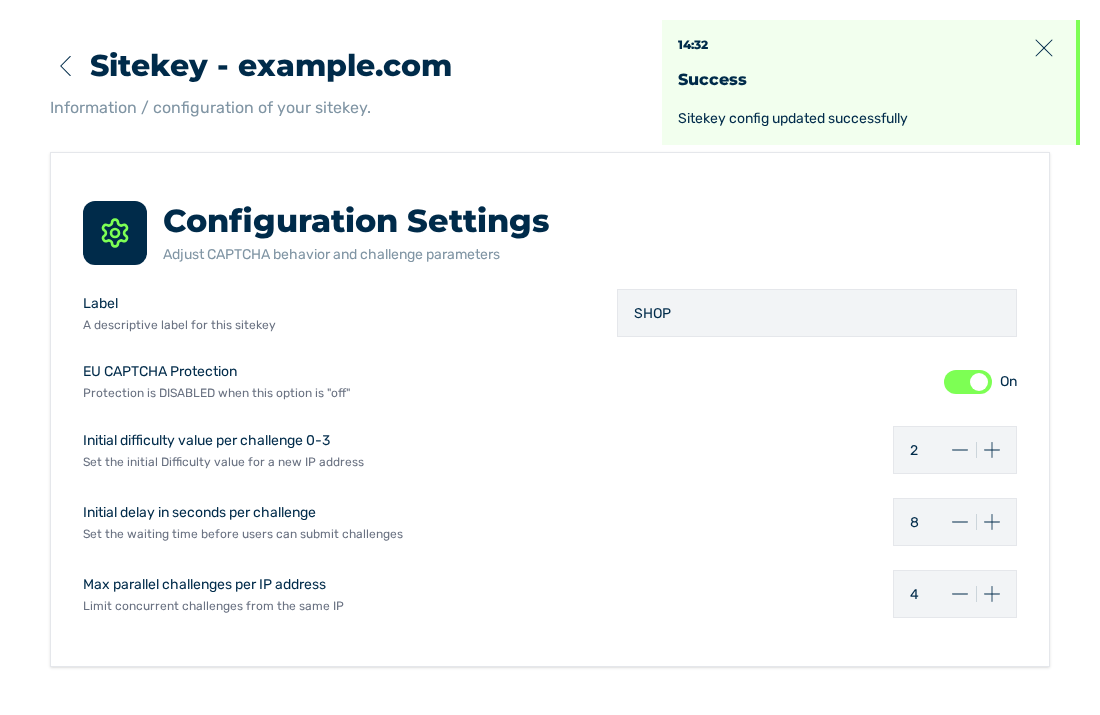
Configuration Settings dialog with the changed values
The Save button stays locked until you change one of the four entries. With the Read access tier, the dialog does not show the button.
If the change is not successful, the system shows Error with the text Can not update Sitekey config. If the service sends an objection for a field, that objection shows instead of the text. Your entries stay in the form.
Effect of the settings
The settings have this effect:
| Setting | Effect | Default |
|---|---|---|
| EU CAPTCHA Protection | With Off, the widget does not set a challenge, and the requests continue without a verification. | On |
| Initial difficulty value per challenge 0-3 | Sets the difficulty of the first challenge of an unknown IP address. A higher value makes the verification longer for all visitors. | 0 |
| Initial delay in seconds per challenge | Sets the delay before the transmission is possible. | 3 |
| Max parallel challenges per IP address | Limits the concurrent challenges of one IP address. | 1 |
The risk detection sets the higher difficulties up to level 7 by itself. See How EU CAPTCHA works.
Attention
With Off, there is no protection. The widget stays embedded. The requests are not examined.
Locked settings
If the settings are locked, a tooltip names the cause:
| Tooltip | Cause | Measure |
|---|---|---|
| Read-only access | Your access tier is Read. | Ask for the Write tier. See Change the access to a sitekey. |
| Upgrade to unlock | No plan with costs is active for your account. | Book a plan. In the dialog, the Upgrade button goes to the selection of the plans. See Book a plan. |