Configuration
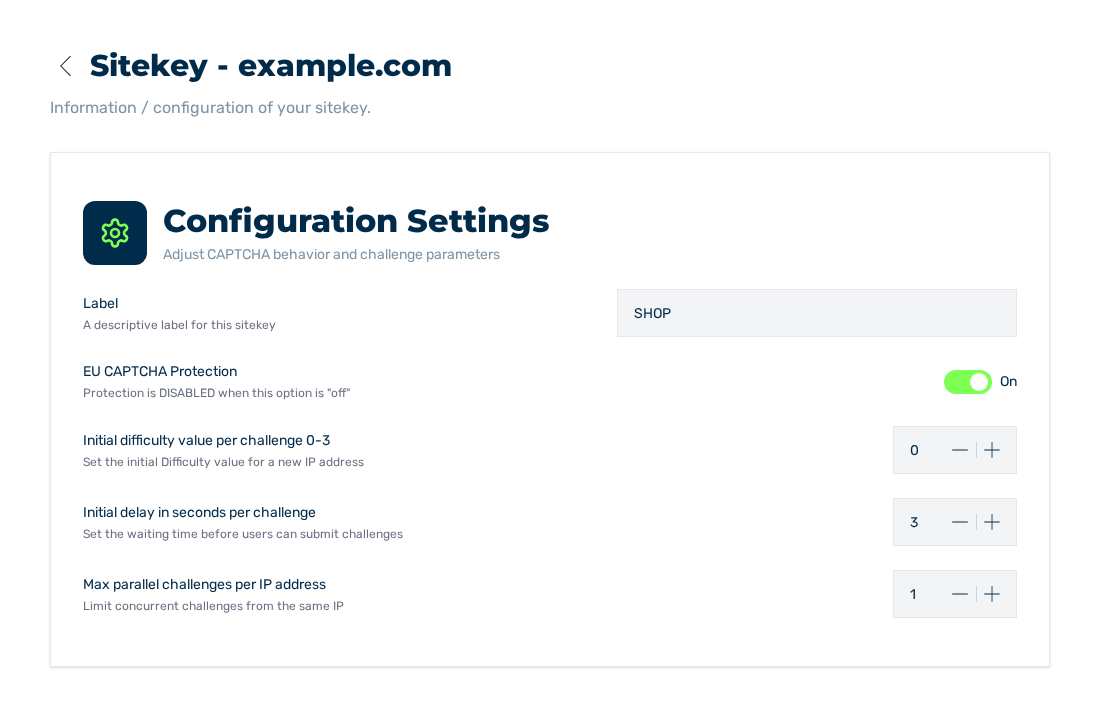
Configuration Settings dialog
The Configuration Settings dialog controls the behaviour of the protection for this sitekey. You open the dialog in the Sitekey List area. The CONFIG entry is in the menu behind the button with the three dots.
The Configuration Settings dialog and its settings
Settings
The dialog contains these settings:
| Setting | Description in the interface | Value range | Default |
|---|---|---|---|
| Label | A descriptive label for this sitekey | Text | empty |
| EU CAPTCHA Protection | Protection is DISABLED when this option is off | On, Off | On |
| Initial difficulty value per challenge 0-3 | Set the initial Difficulty value for a new IP address | 0 to 3 | 0 |
| Initial delay in seconds per challenge | Set the waiting time before users can submit challenges | 3 to 30 | 3 |
| Max parallel challenges per IP address | Limit concurrent challenges from the same IP | 1 to 10 | 1 |
If a value is out of the range, the field shows a note about the upper limit or the lower limit.
Save
The Save button is below the settings. It applies the Label, Initial difficulty value per challenge 0-3, Initial delay in seconds per challenge, and Max parallel challenges per IP address entries together in one step.
The button stays locked until one of these four entries changes. With the Read access tier, the dialog does not show the button.
The EU CAPTCHA Protection switch is not part of Save. It applies immediately when you move it.
After the change, the message Success shows with the text Sitekey config updated successfully. If the change is not successful, the message Error shows with the text Can not update Sitekey config. If the service sends an objection for a field, the message shows that objection instead. Your entries stay in the form.
Locks
Two conditions lock the settings:
| Condition | Tooltip | Effect |
|---|---|---|
| Read access tier | Read-only access | All settings are locked. |
| free plan | Upgrade to unlock | The three numerical values are locked. The Label and EU CAPTCHA Protection options stay changeable. The Upgrade button goes to the selection of the plans. |
See Configure a sitekey and Plans tab.