Cookie and tracking settings
The customer portal evaluates the use of the interface with analysis tools. At the first call after the login, the We use tracking tools to improve your experience dialog asks for the consent. The consent is voluntary and can be revoked at any time.
Note
The settings apply to the customer portal only. The protection itself works without cookies: the widget sets no cookies on the protected website and stores nothing in the browser of the visitors. See How EU CAPTCHA works.
Categories
The consent is divided into the following categories:
| Category | Content | Default |
|---|---|---|
| Necessary | Basic functions, security and operability of the website. Cannot be deselected. | Enabled |
| User Analytics | Evaluation of the use of website and product through Matomo and Userpilot. | Disabled |
| Session Replay | Recording of pseudonymised session data such as mouse movements, clicks and scrolling behaviour through Userpilot. | Disabled |
Note
Session Replay requires User Analytics. If you switch on Session Replay, User Analytics is switched on as well; if you switch off User Analytics, Session Replay is switched off as well.
Giving the consent
Proceed as follows to give the consent in the first dialog:
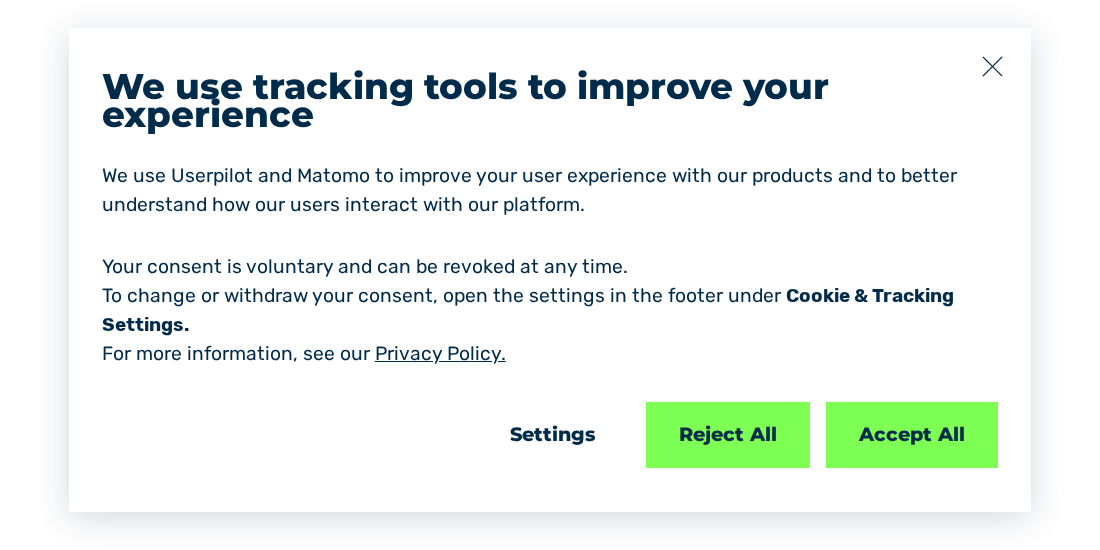
We use tracking tools to improve your experience dialog
-
► Click on one of the following buttons:
Button Effect Accept All Switches on all categories. Reject All Switches off User Analytics and Session Replay. Settings Shows the single categories for selection. -
➔ The system saves the selection and closes the dialog.
Selecting single categories
Proceed as follows to select single categories:
Dialog with the categories
- ► Click on the Settings button in the dialog.
- ↳ The dialog shows the three categories, each with one switch.
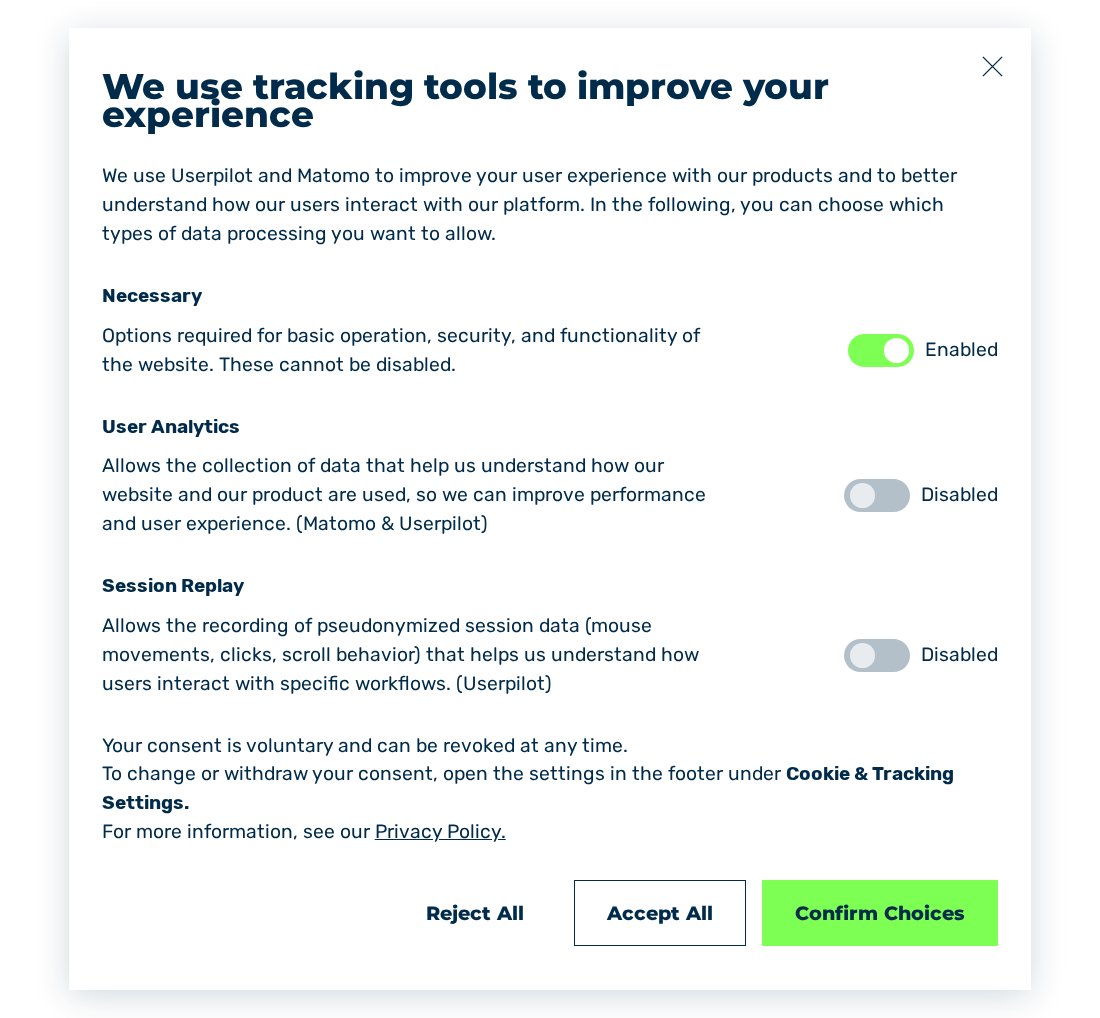
Dialog with the switches of the three categories
- ► Set the required categories to Enabled.
- ► Click on the Confirm Choices button.
- ➔ The system uses only the selected categories and closes the dialog.
Changing or revoking the consent
The following requirements are met:
- ☑ You are logged in to the customer portal.
Proceed as follows to change the consent subsequently:
- ► In the footer, click on the Cookies & Tracking Settings entry.
- ↳ The We use tracking tools to improve your experience dialog opens.
We use tracking tools to improve your experience dialog
- ► Click on the Settings button.
- ↳ The dialog shows the three categories, each with one switch.
Dialog with the switches of the three categories
- ► Change the switches of the categories.
- ► Click on the Confirm Choices button.
- ➔ The system applies the changed selection immediately.
The privacy policy of Myra Security GmbH gives details on the processing.