React and PHP
This example protects the contact form of an application that already exists. The frontend is a React application with Vite, the backend is a PHP server. Both are already in operation. For the Myra EU CAPTCHA, you change only the files that an arrow marks below.
Requirements
The following requirements are met:
| Requirement | Value |
|---|---|
| Node.js with npm | installed |
| PHP | From version 8.0 |
| Composer | installed |
| Sitekey | Public sitekey and secret from the Details view |
Attention
The public sitekey belongs in the frontend, the secret only in the backend. Each visitor can read a secret that is in the delivery package of the frontend.
Project structure
These files change. All other parts of the project stay unchanged:
my-project/
├── frontend/                     # existing React application (Vite)
│   ├── package.json              # ← Step 1: enter the @myrasec/eu-captcha package
│   ├── vite.config.ts
│   ├── index.html
│   └── src/
│       ├── main.tsx
│       ├── App.tsx
│       └── ContactForm.tsx       # ← Steps 1 and 2: embed the widget, send the token
└── backend/                      # existing PHP server
    ├── composer.json             # ← Step 3: enter the myra-security-gmbh/eu-captcha package
    ├── vendor/
    ├── .env                      # ← enter the sitekey and the secret
    └── public/
        └── index.php             # ← Step 3: put the verification at the start of the handler
Step 1: Embed the widget
The form is in the frontend/src/ContactForm.tsx file.
Install the package:
Put the EuCaptcha component in the form and accept the token with the onComplete callback:
import { useState } from "react";
import { EuCaptcha, isEuCaptchaDone } from "@myrasec/eu-captcha";

const captchaSitekey = "EUCAPTCHA_SITE_KEY";

export function ContactForm() {
  const [token, setToken] = useState("");

  // handleSubmit follows in step 2

  return (
    <form onSubmit={handleSubmit}>
      <input name="email" type="email" required />
      <textarea name="message" required />

      {/* onComplete gives the token as soon as the challenge is complete */}
      <EuCaptcha sitekey={captchaSitekey} onComplete={setToken} />

      <button type="submit">Submit</button>
    </form>
  );
}
The component loads the verify.js script, makes the iframe of the widget, and starts the challenge automatically.
Step 2: Send the token
Before the transmission, use isEuCaptchaDone() to examine if the challenge is complete. Then send the token in the eu-captcha-response field of the JSON body:
async function handleSubmit(e: React.FormEvent<HTMLFormElement>): Promise<void> {
  e.preventDefault();
  if (!isEuCaptchaDone()) {
    // challenge not yet complete
    return;
  }
  const fields = Object.fromEntries(new FormData(e.currentTarget));
  const res = await fetch("/api/submit", {
    method: "POST",
    headers: { "Content-Type": "application/json" },
    body: JSON.stringify({ ...fields, "eu-captcha-response": token }),
  });
  if (res.ok) {
    // success
  }
}
Note
The EuCaptcha component makes the widget again only when sitekey, theme, width, height, widgetId, or autostart changes. When the form renders again, for example for each entry, the widget stays as it is. This also applies to your own inline functions for onComplete, onExpired, or onError.
Step 3: Verify the token
The verification belongs in the handler on the server that accepts the form data, here /api/submit in the backend/public/index.php file. It is in the first position, before all processing.
Install the package with the ^2.0.1 version constraint:
Read the fields from the JSON body and put the verification at the start of the handler:
<?php

require __DIR__ . '/vendor/autoload.php';

use Myrasec\EuCaptcha;

// read the fields from the JSON body
$body = json_decode(file_get_contents('php://input'), true) ?: [];

// verification before all processing
$captcha = new EuCaptcha(
    sitekey: getenv('EUCAPTCHA_SITE_KEY'),
    secret:  getenv('EUCAPTCHA_SECRET_KEY'),
);

if (!$captcha->validate()->success()) {
    http_response_code(400);
    exit('captcha verification failed');
}

// the existing logic continues from here
$email   = $body['email'];
$message = $body['message'];
mail('team@example.com', 'Contact', $message);
echo 'Thank you!';
Note
The validate() call reads the token automatically from the eu-captcha-response field, from a form field and also from a JSON body. The call reads the IP address of the visitor from the headers. Keep the sitekey and the secret in the .env file, from which getenv reads them.
See PHP.
Verify the integration
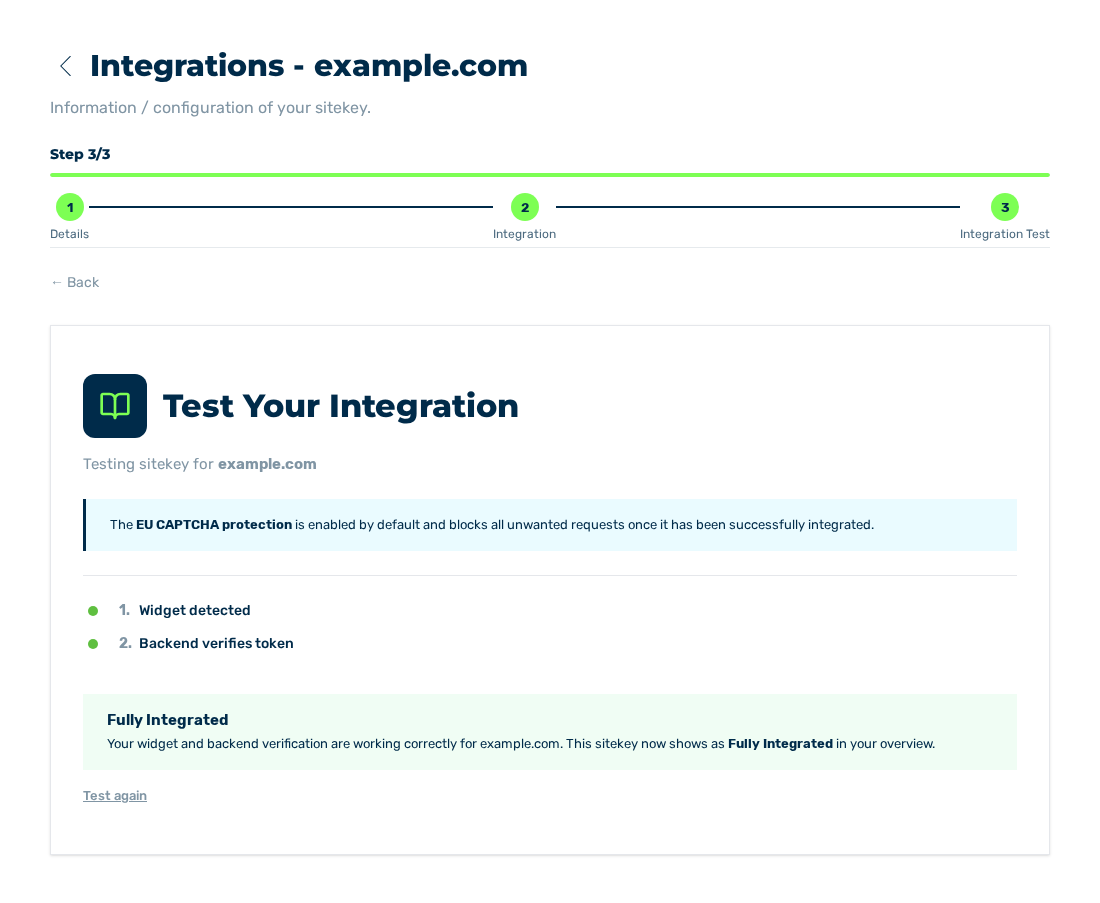
Integration Test view with the Fully Integrated result
At the end, use the Integration Test view of the sitekey to examine if the frontend and the backend operate together. Then the sitekey has the Fully Integrated status.