Delete Account tab
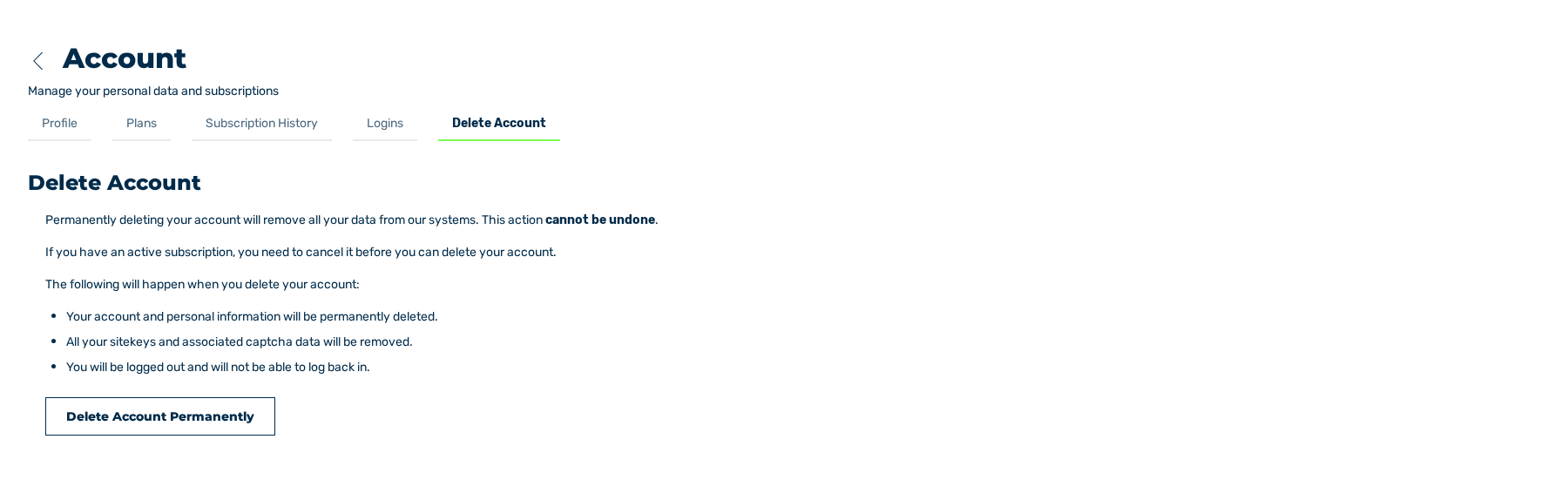
Delete Account tab
The Delete Account tab deactivates your account permanently. The Delete Account Permanently button starts the deactivation.
The Delete Account tab and the deletion of the account
Results of the deletion
The deletion has these results:
- Your account is locked, and you cannot log in again.
- The connections to Google, GitHub, Apple, Okta, and SAML are removed.
- Your e-mail address becomes free for a new account.
- Your personal data, your sitekeys, and the related CAPTCHA data stay stored.
Attention
You cannot undo the deactivation. A new account with the same e-mail address does not get access to the sitekeys of the old account.
The Delete Account Permanently dialog
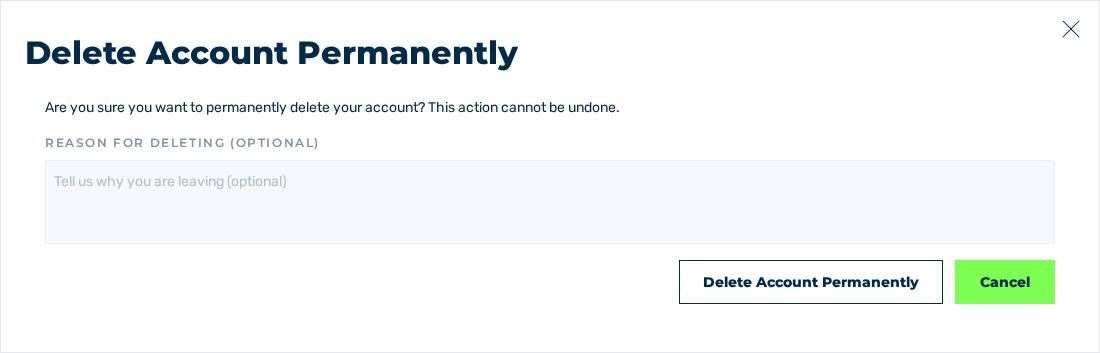
Delete Account Permanently dialog
The Delete Account Permanently button opens the dialog with the same name.
The Reason for deleting (optional) field with the Tell us why you are leaving (optional) placeholder accepts a reason. The reason is optional and holds a maximum of 2048 characters.
The dialog contains these buttons:
| Button | Effect |
|---|---|
| Delete Account Permanently | Deactivates the account and shows the login page. The Account deleted — Your account has been permanently deleted. message is shown. |
| Cancel | Closes the dialog and does not delete. |
Conditions
The deletion is possible only when none of these conditions is applicable:
| Condition | Title of the dialog | Measure |
|---|---|---|
| A subscription is active. | Cancel your subscription first | Cancel the subscription. The Go to Subscription History button opens the related tab. |
| A payment is repeated again. | A payment is still being retried | Wait until the payment is complete. |
The Close button closes the dialog.