WordPress
The EU-Captcha plugin protects the forms of WordPress and of the usual form plugins. It does the widget and the server-side verification.
Setup of the plugin in WordPress
Requirements
The following requirements are met:
| Requirement | Value |
|---|---|
| WordPress | from version 5.8, tested up to version 6.9 |
| PHP | from version 7.4 |
| Access | Administration area of WordPress |
Protected forms
The plugin protects these forms:
- login of WordPress
- registration of WordPress
- comments of WordPress
- Contact Form 7
- Ninja Forms
- WooCommerce Checkout
- WPForms
- Elementor Pro Forms
- Gravity Forms
For Gravity Forms, the plugin puts the widget automatically directly before the submit button of each form and checks the token on the server. No setup for each form is necessary. For multi-page forms, the check runs on the last page only.
For Elementor Pro Forms, add a field of the EU Captcha type to the form widget in Elementor. The field uses the sitekey, the secret, and the styling from the EU-Captcha settings page.
Set up the plugin
Proceed as follows to set up the plugin:
- ► Upload the
eu-captchafolder into the/wp-content/plugins/directory of your installation.
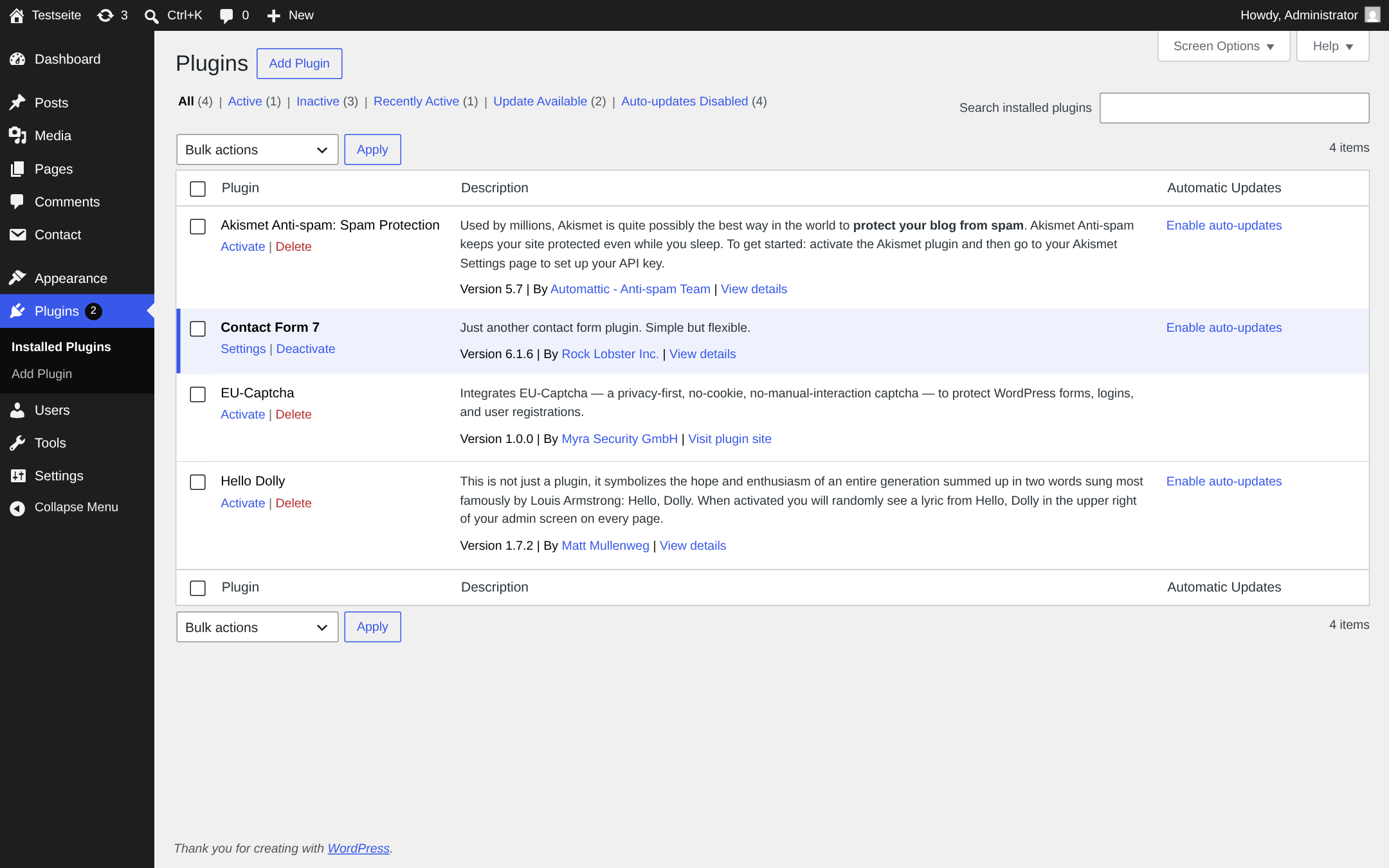
List of the plugins with the EU-Captcha plugin
- ► Activate the plugin in the Plugins menu.
- ↳ The EU-Captcha settings page is available.
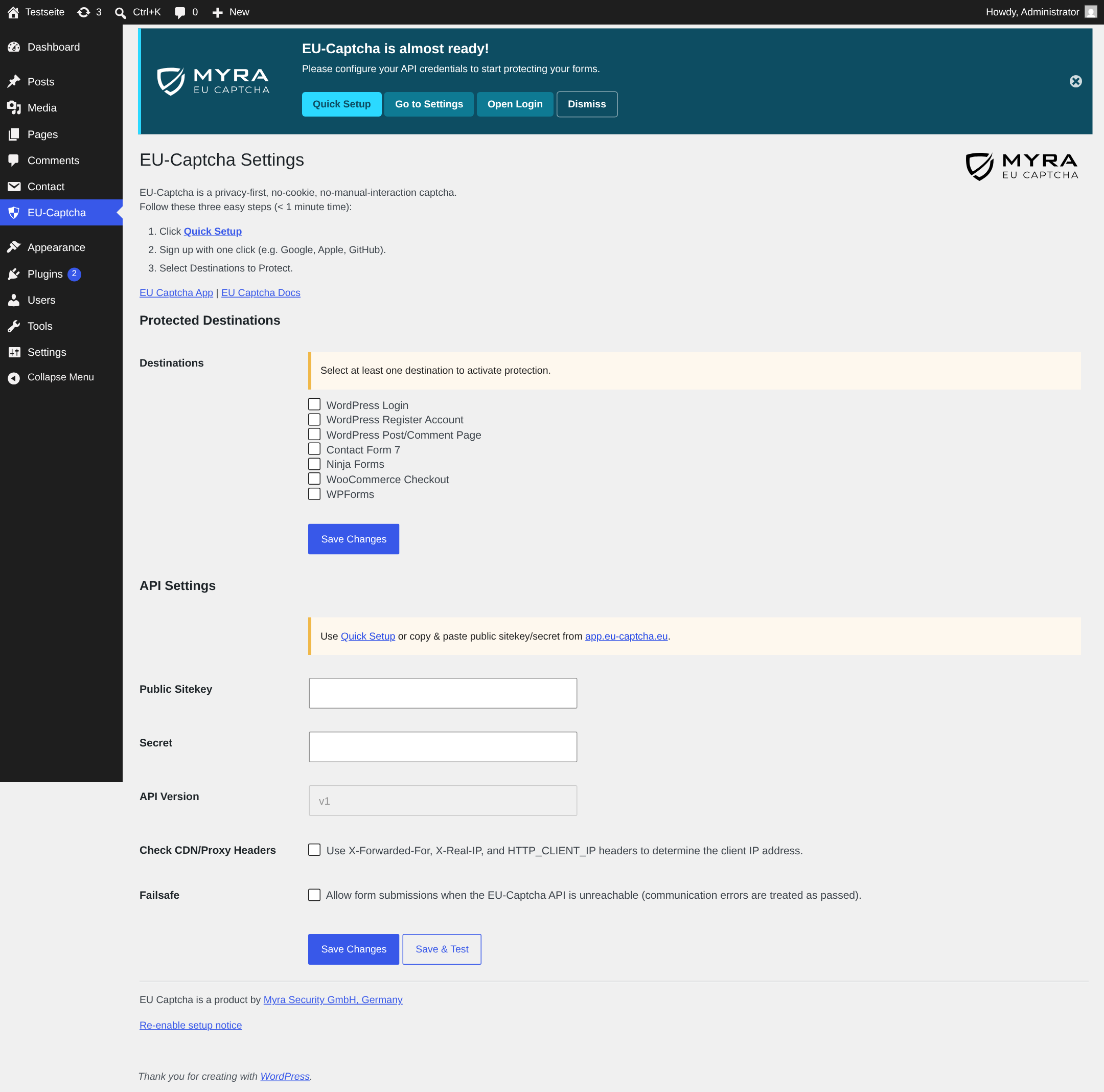
EU-Captcha settings page
- ► Open the EU-Captcha settings page.
- ► Click on the Quick Setup button. As an alternative, enter the public sitekey and the secret manually.
- ► Below Protected Destinations, select the forms to protect.
- ► Click on the Save Changes button.
- ➔ The plugin embeds the widget in the selected forms and verifies the tokens on the server.
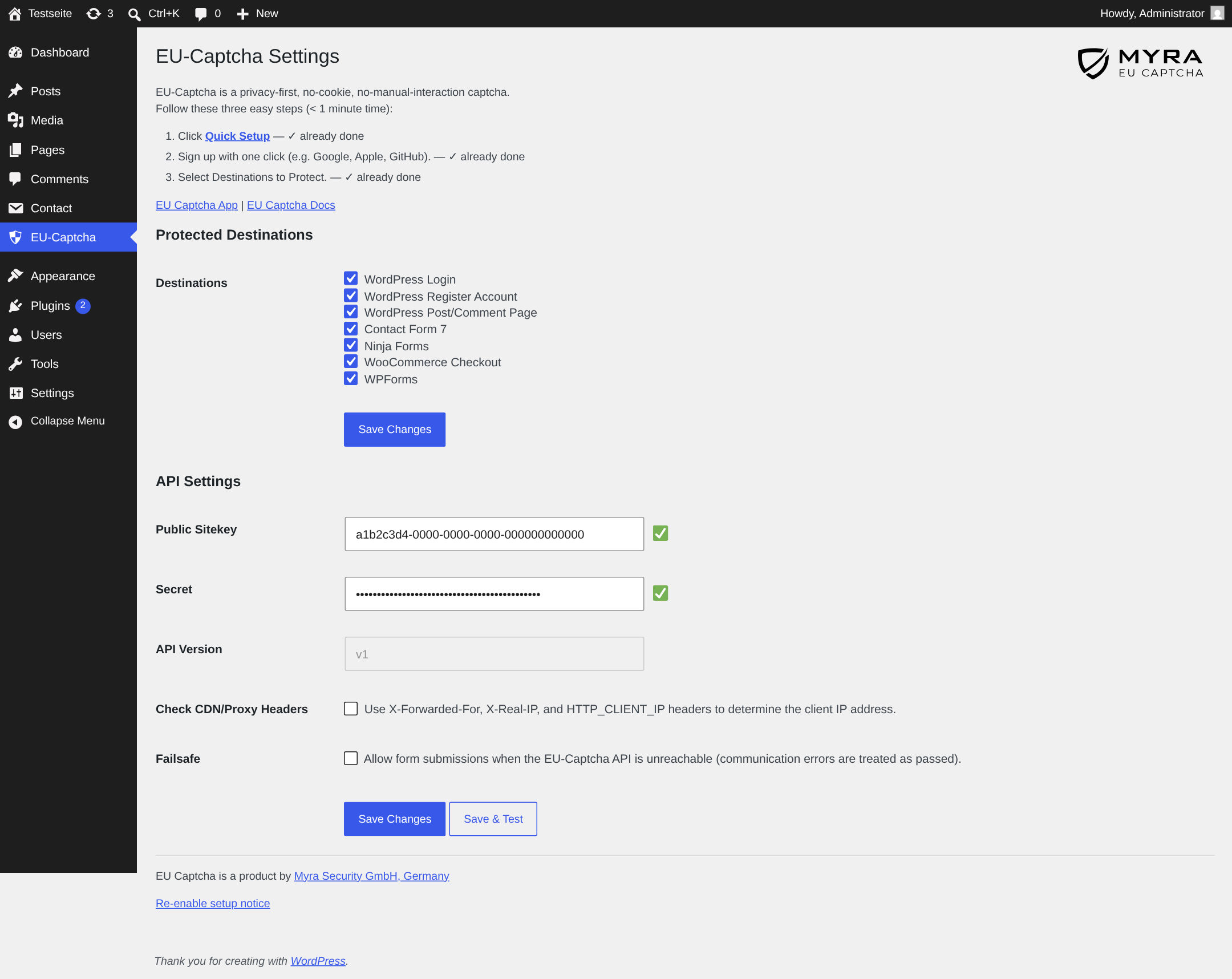
EU-Captcha settings page after saving
Further settings
These settings are available on the EU-Captcha settings page:
| Setting | Effect |
|---|---|
| Check CDN/Proxy Headers | Reads the true IP address of the visitor from the HTTP_CLIENT_IP, HTTP_X_FORWARDED_FOR, or HTTP_X_REAL_IP headers, before REMOTE_ADDR is used. Activate the option if your website is behind a CDN or a load balancer. As long as the settings have not been saved, the option is activated. |
| API Version | Shows the version of the API in use. You cannot change the field. |
| Theme | Light or dark appearance of the widget, values Light and Dark. The default is Light. |
| Height (px) | Fixed height of the widget in pixels, minimum 48. Without an entry, the default applies. |
| Width (px) | Fixed width of the widget in pixels, minimum 1. Without an entry, the default applies. |
Behaviour during a malfunction
By default, the plugin refuses a transmission if the API is not reachable. Thus, the protection cannot be bypassed during a malfunction.
The Failsafe option in the settings below API Settings changes this behaviour: transmission errors such as timeouts or name resolution errors then count as a verification that passed. The plugin continues to refuse invalid responses.
Attention
With the Failsafe option activated, your form stays available during a malfunction. The form is unprotected during this time.
Protect your own forms
The plugin supplies the eu_captcha_verify() function. With it, other plugins and themes verify a token with the credentials that are already stored.
Add the widget element to your form:
Verify the token during the transmission:
if ( function_exists( 'eu_captcha_verify' ) ) {
    $token  = sanitize_text_field( $_POST['eu-captcha-response'] );
    $result = eu_captcha_verify( $token );
    if ( ! $result ) {
        wp_die( 'Captcha verification failed.' );
    }
}
The function returns true for a valid verification. It returns false for an invalid token, missing credentials, a response with train: true, or an invalid response of the API. For a transmission error, it returns true if the Failsafe option is activated, and false if not. Always examine with function_exists() first, so that your source code also operates when the plugin is deactivated.
The plugin embeds the verify.js script itself: on all pages of the frontend when you select at least one form below Protected Destinations, and on the login page when you select WordPress Login or WordPress Register Account.