Sitekey
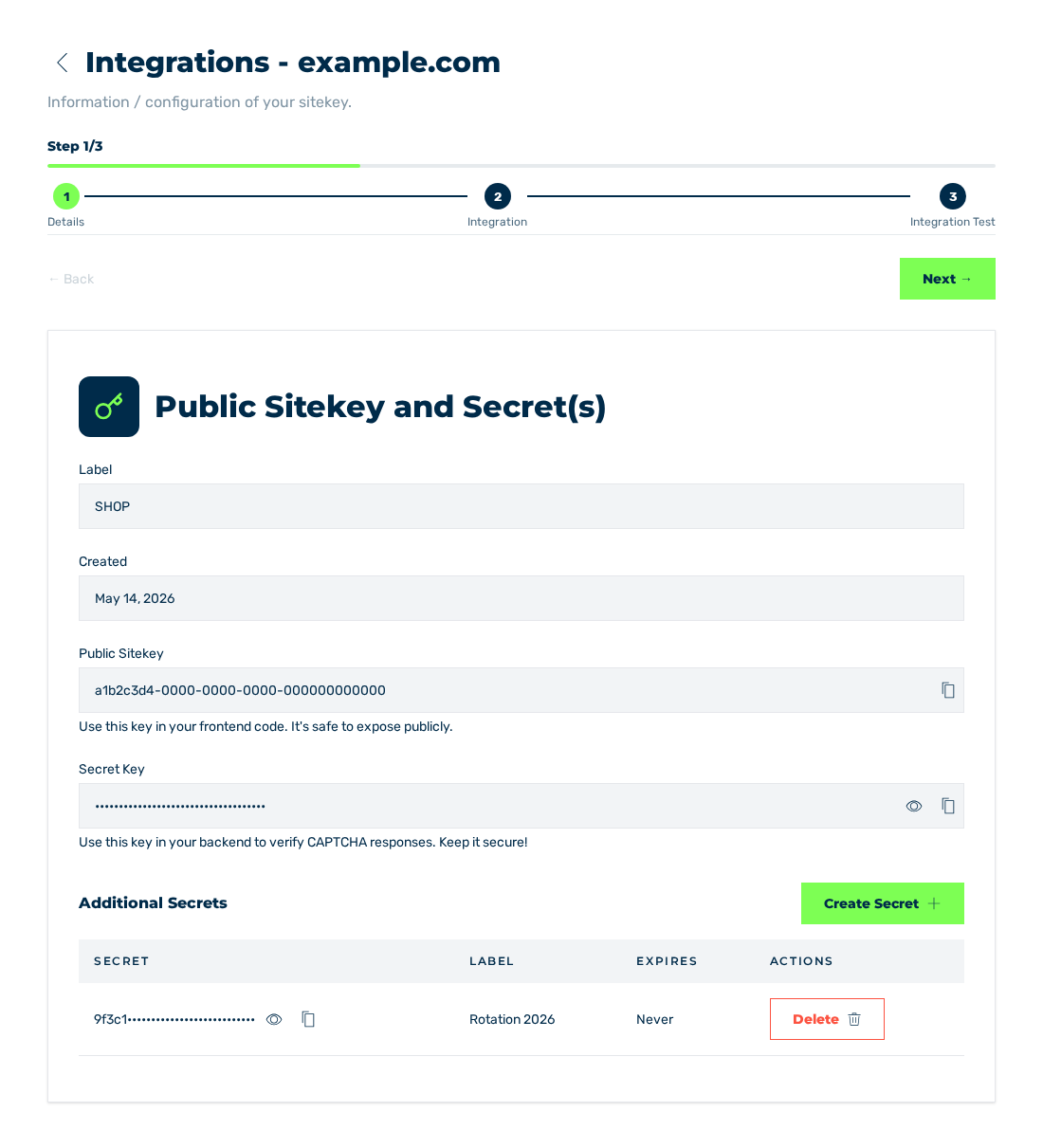
Sitekey view with the details of the sitekey
The Sitekey view collects all data and settings of one sitekey. You open the view from the list of the sitekeys. See Sitekey List view.
Above the content, the Sitekey -
Views
The sitekey has these views:
| View | Contents |
|---|---|
| Details | Public sitekey, secrets, and master data |
| Integration | Wizard with the instructions for the selected platform |
| Integration Test | Test of the widget and of the server-side verification |
| Configuration | Configuration Settings dialog: protection, difficulty, delay, and parallel challenges |
| Permissions | Access of other accounts to the sitekey |
| Challenges | Log of the supplied challenges |
Wizard sequence
For the initial setup, a wizard goes through three of the views:
| Step | View |
|---|---|
| 1 | Details |
| 2 | Integration |
| 3 | Integration Test |
Above the steps, the wizard shows the Step ⅓ to Step 3/3 data and a progress bar. Below, the three steps are shown with their number and their label.
Below the steps and above the content of the view, the Next → button goes to the next step. The ← Back button goes to the previous step. In the first step, ← Back is locked. In the last step, Next → is not shown.
The Configuration Settings dialog and the Permissions view are not part of the wizard and do not show the steps. You open them in the list of the sitekeys, from the menu behind the button with the three dots. The CONFIG entry opens the dialog. The PERMISSIONS entry opens the view. Only the owner of the sitekey sees the PERMISSIONS entry.
Access tier
Your access tier for the sitekey controls if you can change settings. With the Read tier, the input fields are locked. A tooltip names the Read-only access cause. See Permissions view.