Changing the personal data
The first name, the last name, and the company name are in the Profile area of the tab with the same name. You do not change the e-mail address there directly: its field is locked.
The following requirements are met:
- ☑ You are logged in to the customer portal.
Proceed as follows to change the personal data:
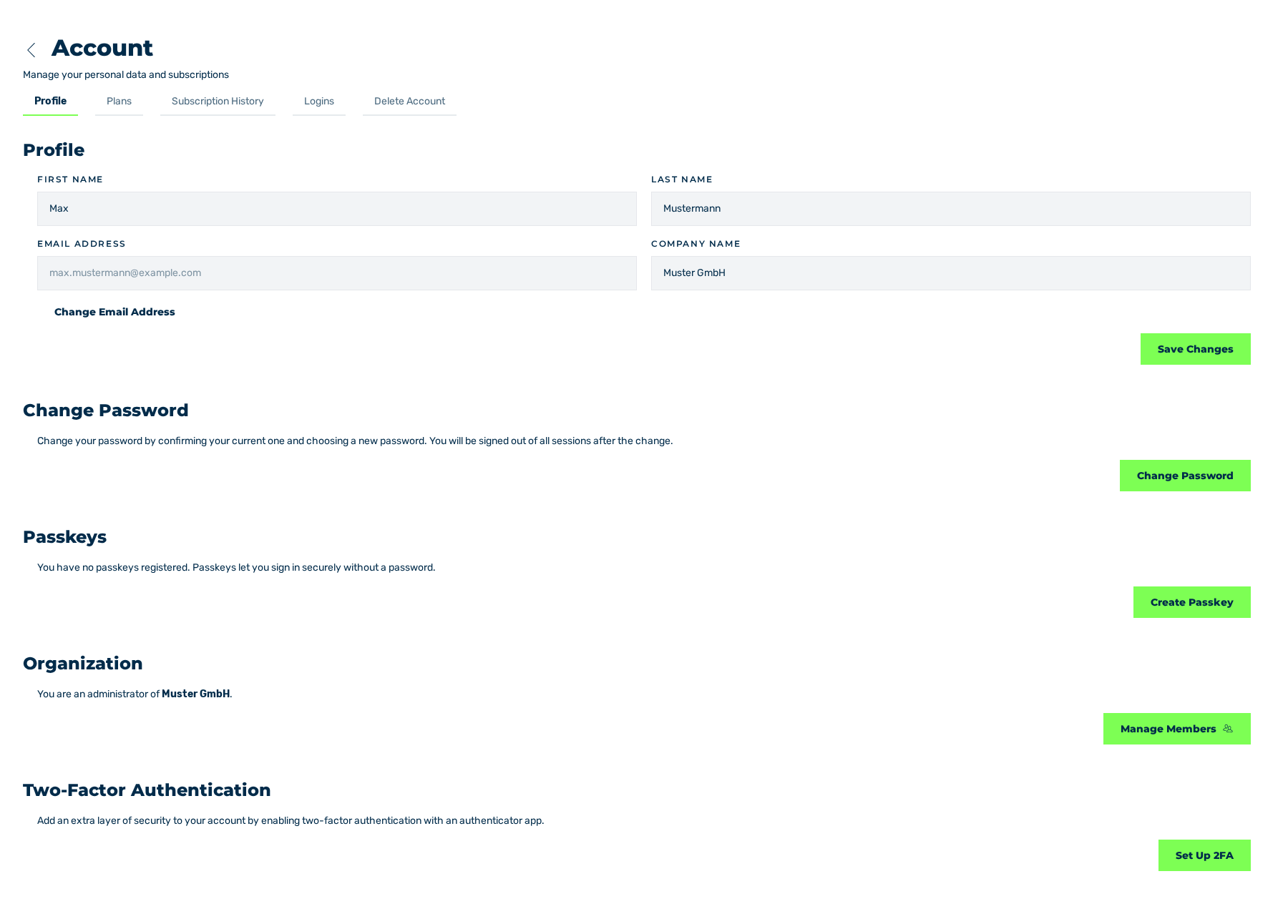
Profile tab
- ► In the sidebar, open the Account › Profile entry.
- ► Enter your first name in the First name field.
- ► Enter your last name in the Last name field.
- ► If required, enter the name of your company in the Company name field.
- ► Click on the Save Changes button.
- ➔ The system saves the data and shows the User update message with the OK text.
Profile tab with the saved data
The Email address field gives the e-mail address of your account. It is locked and can only be changed with the Change Email Address button. See Changing the e-mail address.
See Profile tab.