Widget not detected
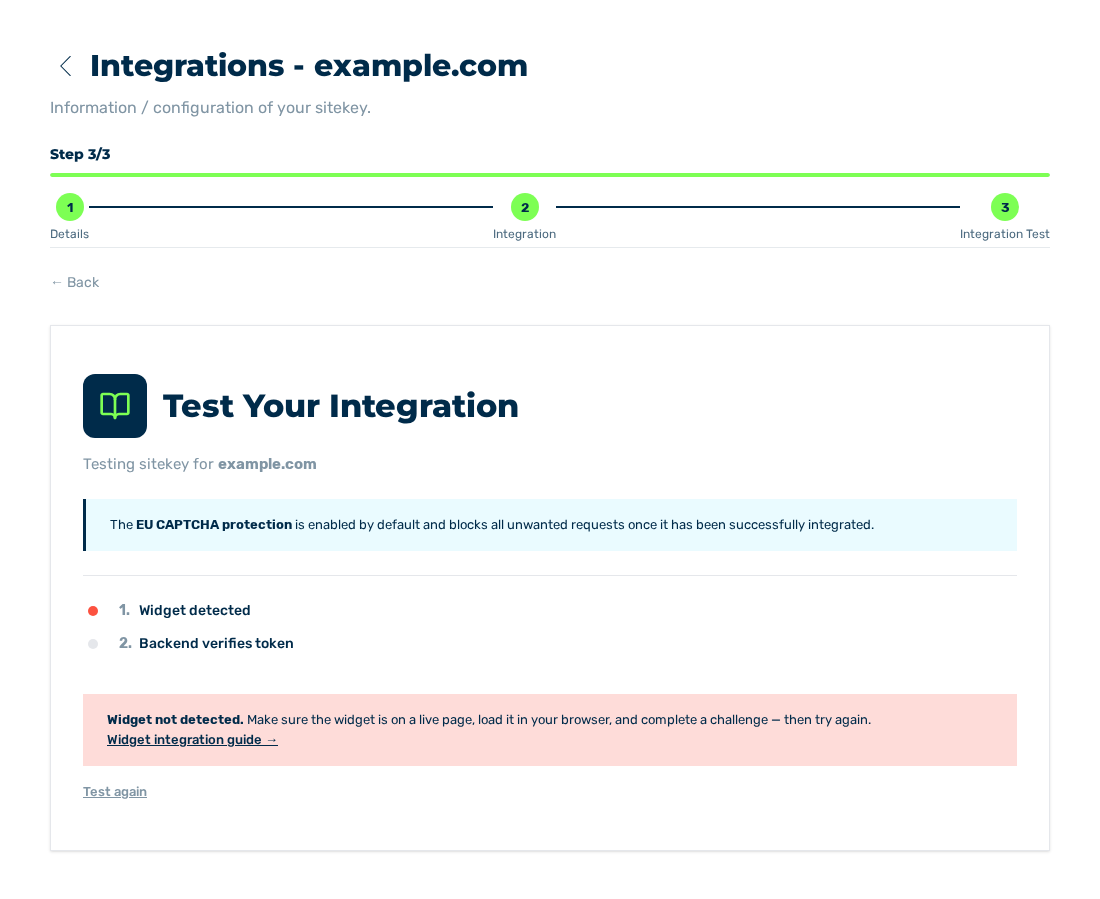
Integration Test view with the Widget not detected. message
The Integration Test view shows Widget not detected. The Sitekey List area shows the Not Started status.
Cause
The widget does not load on the protected page, or it does not find its element. The causes that follow are possible:
- ■ The script element or the widget element is missing on the page.
- ■ The value in the
data-sitekeyattribute is related to a different sitekey. - ■ A Content Security Policy of your website blocks the addresses of the service. See Content Security Policy.
Solution
- ► Examine if the script element is given in the
<head>area of the page:
- ► Examine if the widget element is given on the page and if it has the
eu-captchaclass:
- ► Examine if the value in the
data-sitekeyattribute agrees with the public key of the sitekey. See Details view. - ► Open the protected page and examine in the developer console of the browser if the
verify.jsfile loads. - ► In the developer console, examine if a message gives a Content Security Policy. See Content Security Policy.
- ► Do the test again. See Testing the integration.
If the test shows Widget is working but your server didn't verify the token., the server-side verification is missing. See Embedding the widget.